
Bill sahi. Record saaf.
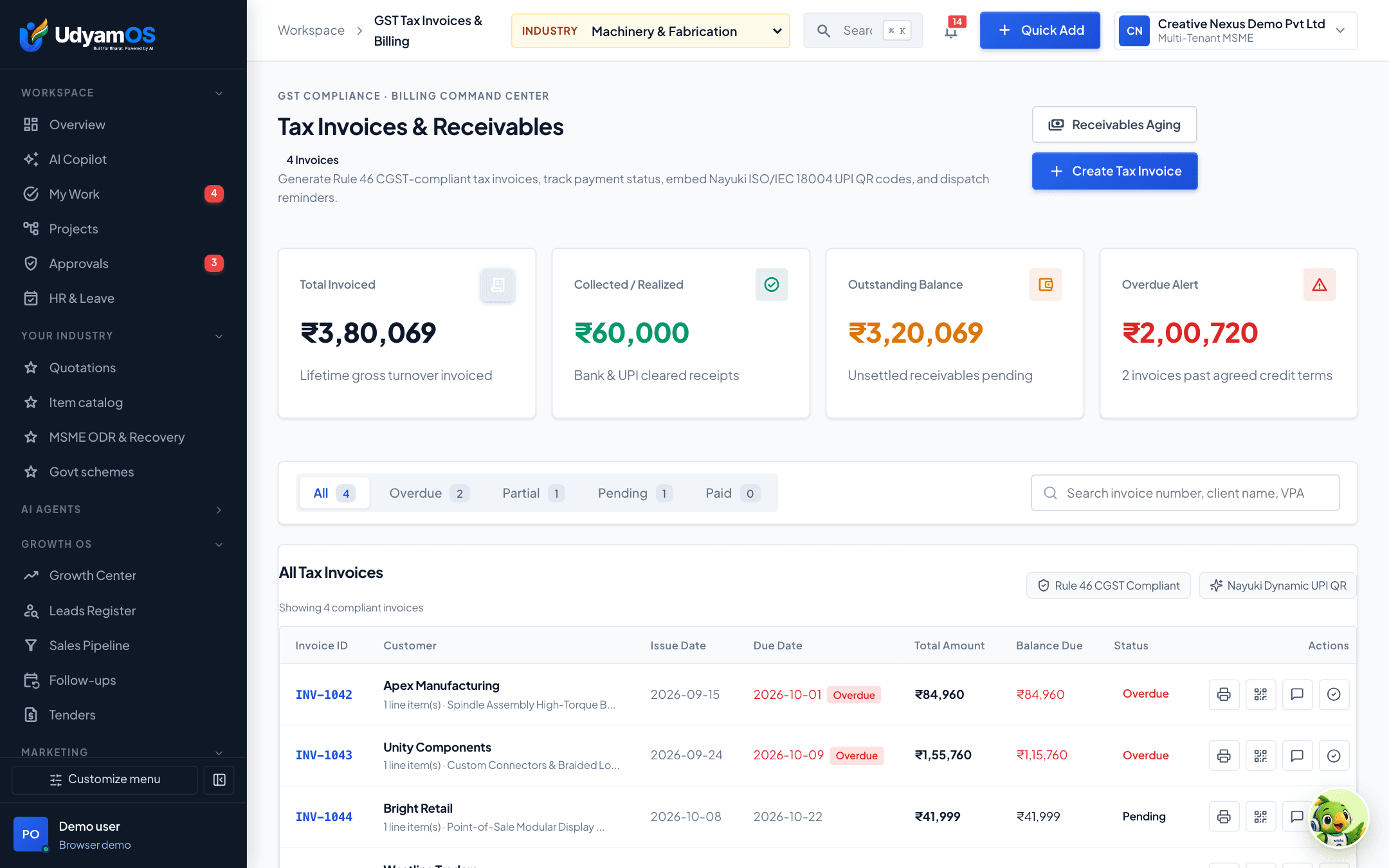
GST tax invoices with the right codes and slabs, recurring bills and payments recorded against each invoice.
The problem
Why billing & invoicing matters
Invoices are made in one tool, payments noted in another, and reconciling the two takes the accountant days.
Wrong tax on an invoice means corrections and credit notes later.
Recurring bills are forgotten for a month.
Nobody can say quickly which invoices are fully paid.
How it works
How UdyamOS helps
Step by step, in the app.
- 1
Raise the invoice
Customer, items, HSN/SAC and GST slab from your catalog, with your invoice branding.
- 2
Record payments
Full or part payments are recorded against each invoice, so balances stay right.
- 3
Keep recurring bills on time
Subscriptions and recurring bills show when they are due.
- 4
Check with Ananya
The Billing Agent checks GST on each line and lists the bills due this week.
Your AI teammates here
They prepare. You decide.
 Ananya BanerjeeInvoicing & Billing Agent
Raise correct GST invoices and never miss a recurring bill.
“Which recurring bills should I raise this week?”
 Kavita DeshpandeGST, Tax & Schemes Agent
GST rates, filings, TDS and government schemes.
“What GST rate applies to my products?”
What changes
Invoices and payments stay connected, so the books close faster.
See it working
Ise demo mein chala ke dekhiye.
Sign in to the UdyamOS demo and open Billing & Invoicing from the menu, with the same sample business you saw above.
- A walkthrough shaped around your business
- No sales deck—see the real product
- Your details stay private